
Using TradingView for Market Analysis in Kenya
Learn how to setup and use TradingView for smart market analysis 📈. Tailor charts for Kenyan markets 🇰🇪, link brokers, and overcome trading challenges with ease.
Edited By
James Whitmore
TradingView has become a go-to platform for traders and investors worldwide, including many in Kenya. It offers powerful charting, technical analysis, and social networking tools all in one place. For those serious about market analysis, TradingView’s web-based system is accessible from anywhere without heavy software installations, making it ideal for busy traders juggling matatu rides and office hours.
Implementing TradingView effectively means more than just opening a chart. It involves integrating the platform’s features into your trading workstation or website to get live data and advanced analytics at your fingertips. For example, a developer running a financial blog could embed interactive charts, allowing readers to explore market trends without leaving the page.
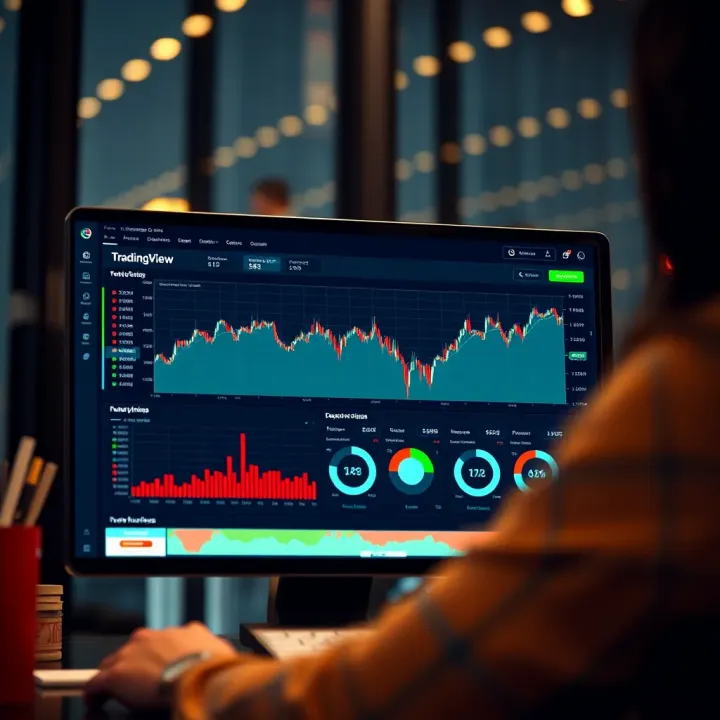
Kenyan traders often deal with local equities from the Nairobi Securities Exchange (NSE) alongside global markets. TradingView supports a broad range of instruments including forex, commodities, and stocks like Safaricom and KCB Group. Its customisable indicators help you spot entry and exit points, which is vital when following volatile currencies or agricultural commodity prices affected by seasonal rainfall.
Embedding TradingView charts on your platform lets you access real-time data and powerful analysis without switching apps, saving time and improving decision-making.
To integrate TradingView:
Register an account and explore available chart types
Choose from pre-built indicators or create custom ones
Use TradingView’s API for deeper integration—this is handy if you want automated alerts or to build features tailored to Kenyan market rhythms
Embed charts directly into web pages using simple HTML snippets
By weaving TradingView’s tools into your workflow, you get sharper insights and faster reactions to market moves. In today’s hustle economy, having timely market view can mean the difference between profit and loss, especially in Kenya’s fast-changing financial scene.
The next sections will walk you through technical requirements, setting up the API, and tailoring the platform to suit local market demands, helping you get the most from TradingView's capabilities.
TradingView is a widely used web-based platform offering robust tools for market analysis, charting, and trading. For traders, investors, and financial analysts, understanding its capabilities lays the groundwork for making timely and informed decisions. This section explains what TradingView brings to the table and why it fits well with the needs of Kenyan market users.
TradingView provides real-time charts, technical indicators, and social trading features that simplify complex market data. For example, you can access KSh-denominated charts for Nairobi Securities Exchange (NSE) stocks alongside global markets like the New York Stock Exchange. This mix helps investors diversify portfolios across local and international assets.
The platform includes over 100 built-in indicators and allows users to create custom ones using Pine Script, its own scripting language. This means you can tailor chart setups to your trading style, such as setting alerts when a particular stock crosses certain price levels. Plus, interactive charts enable zooming in for detailed candlestick patterns or zooming out to spot long-term trends, which is crucial for businesses and brokers tracking market shifts.
Social features let you tap into a community of traders sharing analysis and ideas. Kenyan traders can exchange insights on sectors like banking or agriculture, which form a big part of the local economy. Following expert traders on the platform can sharpen your analysis and offer new perspectives.
TradingView’s cloud-based nature means you don't need heavy software installations, making it accessible even on modest laptops or mobile devices, popular among Kenyan users. It also supports Kiswahili and English interfaces, encouraging inclusiveness for a diverse group of traders.
Kenyan investors appreciate TradingView since it integrates well with local brokers who allow trading NSE stocks or commodities such as tea and maize futures. The platform supports multiple data feeds, so users get timely updates fitting Kenya’s time zone (EAT). This is particularly useful during NSE trading hours when swift market reactions can mean better profits or risk management.
Moreover, embedded TradingView chart widgets are easy to use for Kenyan fintech firms or educational websites aiming to explain market concepts to new investors. This ease of integration supports the country’s growing digital economy and mobile-first approach.
Reliable, adaptable market analysis tools like TradingView empower Kenyan traders to make smarter decisions, whether they operate in Nairobi’s busy financial district or a rural town with steady internet access.
Overall, TradingView offers a blend of flexibility, community support, and local market relevance that makes it a valuable tool for anyone serious about market analysis in Kenya.
Integrating TradingView into your trading setup is more than just a technical step; it lays the foundation for effective market analysis. Proper preparation ensures you get the most out of TradingView’s powerful features, whether you’re a trader following NSE (Nairobi Securities Exchange) stocks or a forex investor tracking USD/KES rates. Without understanding the technical requirements and setup process, you risk running into connectivity issues or missing out on critical data updates.

Before you start, it's important to check that your systems support TradingView’s requirements. TradingView is a web-based platform, so at minimum, you’ll need a modern browser such as Chrome, Firefox, or Edge with up-to-date versions. For mobile use, the TradingView app is available on Android and iOS, allowing you to monitor charts and alerts on the go.
If you're planning to embed TradingView charts into websites or apps, ensure your development environment supports JavaScript since TradingView widgets and API calls rely heavily on it. Some browsers with strict security settings may block scripts, so testing on multiple devices avoids surprises.
Also, note that TradingView loads real-time and delayed market data depending on your subscription level. Free users might experience delays or limited access to certain instruments, while paid plans unlock more comprehensive data. For example, a trader tracking the NSE may choose a paid plan for faster price updates compared to the free version.
Starting your TradingView integration means creating an account on their platform. Registration is straightforward, requiring basic info like your email, username, and password. Kenyan traders can use email-based signup or social logins.
Once registered, explore the various subscription options. While the free tier offers decent charting, those needing real-time data or the ability to embed charts on corporate websites should consider Pro or Premium accounts.
For developers looking to integrate TradingView programmatically, API access is key. TradingView offers REST and WebSocket APIs that enable fetching market data, managing watchlists, and creating custom alerts. To get started, apply for API credentials from TradingView's developer portal. Keep your API keys secure, and ensure you understand their usage limits to avoid service interruptions.
Lastly, test your account setup with simple chart plotting or alert creation before moving to full integration. This reduces errors and helps fine-tune your workflow.
Adequate preparation in the initial stages of TradingView integration prevents technical hiccups and maximises trading efficiency, especially considering Kenyan market specifics like local instrument availability and mobile connectivity.
By ensuring your device readiness and properly setting up accounts and API access, you’re on a smoother path to leveraging TradingView tools effectively in your market operations.
Embedding TradingView charts directly onto your website or application is a practical way to provide real-time market analysis to your visitors or users. For traders, investors, and financial analysts in Kenya, this means you can bring live market data and insightful chart visualisations straight to your audience without them having to leave your platform. Whether you run a financial blog, an e-commerce site that offers investment tips, or a broker platform, having embedded charts adds credibility and keeps users engaged.
Besides convenience, embedded TradingView charts are highly customisable and interactive. They allow end-users to explore different timeframes, zoom in on crucial moments, and even apply technical indicators without complex installations. This flexibility makes it easier to cater to various trading styles—from day traders in Nairobi who need fast insights, to long-term investors tracking trends on the NSE.
TradingView offers widget code snippets that make embedding charts trouble-free. These widgets are pre-configured pieces of HTML and JavaScript code you can copy and paste into your website’s source files or content management system. For instance, if you run a site focused on the NSE stock market, you can embed a widget showing the NSE 20 Index with a single line of code.
Here’s why the widget approach is handy:
Quick setup: It requires minimal technical know-how; no deep coding needed.
Responsive design: Widgets automatically adjust to screen sizes, suiting desktop or mobile users.
Automatic updates: The charts refresh in real-time, showing the latest market movements.
Besides standard widgets, TradingView also offers embedding for specific instruments, watchlists, and even financial news streams. This means your site visitors get a rich market experience without juggling multiple tabs.
One of TradingView’s strengths lies in its flexibility. Embedded charts can be tailored on several levels to suit your site’s theme and your users’ preferences. Colour schemes, default timeframes, chart types (line, candlestick, bar), and indicators can all be adjusted via the widget’s configuration settings.
For example, a Kenyan educational platform teaching technical analysis might embed charts pre-loaded with the Relative Strength Index (RSI) and Moving Averages to guide learners through hands-on practice. Alternatively, a brokerage page might prefer a clean, minimal chart with only price action to keep focus clear.
Keep these points in mind when customising:
Choose settings that match your target users’ expertise—overly complex charts might overwhelm beginners.
Match your website’s colour scheme for a seamless visual flow.
Decide which technical indicators add real value, avoiding unnecessary clutter.
Embedding and customising TradingView charts empowers you to share live, actionable market insights directly on your platform, improving engagement and supporting smarter trading decisions without the hassle of building charts from scratch.
Getting TradingView charts working well on your site can be a game-changer, especially when targeting Kenyan users who rely on fast, localised market information. With easy embedding options and powerful customisation, it’s a practical step towards creating an informative trading environment that fits right into your digital space.
For traders and developers serious about tailored market analysis, advanced use of TradingView’s API opens doors beyond simple chart embedding. The API enables direct interaction with real-time market data, custom indicators, and automated alerts, offering a more dynamic, responsive trading experience. This is especially useful for Kenyan traders who want to connect TradingView’s rich datasets with local brokerage platforms or proprietary trading systems.
TradingView provides two main API methods to access market data: REST and WebSocket. The REST API works well for on-demand data requests like fetching historical prices or details for specific financial instruments. For instance, if you’re tracking sugar futures on the Nairobi Securities Exchange (NSE), the REST API lets you pull past price data to analyse trends in Excel or another software.
On the other hand, WebSocket APIs push live updates, perfect for situations where you need instant notification of price movements or order book changes. This real-time feed is critical when managing high-frequency trading strategies or alerting applications that send SMS or mobile push notifications to Kenyan traders depending on live data. For example, a developer can build a dashboard that updates Matatu stock prices as they fluctuate during trading hours.
Combining these APIs allows applications to provide a full spectrum of market insight, from historical analysis to instant reaction.
TradingView’s Pine Script language lets users design custom indicators that better reflect their trading strategies. For example, a Kenyan trader might create a custom Relative Strength Index (RSI) adjusted to local market volatility or overlay indicators like moving averages tuned to NSE's trading sessions. These custom indicators can give traders an edge by highlighting market timing or momentum more accurately.
Beyond indicators, alerts are indispensable for timely decision-making. Developers can automate alerts via the API to notify users when a stock breaches a certain price or a technical indicator signals a buy or sell. Imagine an app sending a WhatsApp message the moment Safaricom (NSE: SCOM) crosses a key resistance level. This hands traders the ability to act fast, even when away from their screens.
Integrating TradingView’s advanced API features means Kenyan traders and developers can build customised, efficient tools that keep pace with fast markets and specific investment goals.
In summary, mastering TradingView’s REST and WebSocket APIs combined with the power of custom indicators and alerts creates a robust toolkit for effective market analysis. It bridges global data reliability with local market nuances, making it a practical choice for users in Kenya’s growing trading environment.
Optimising TradingView integration is key to ensuring that traders and investors get timely and reliable market data without struggling with sluggish interfaces. A well-optimised setup improves load times, reduces data lag, and adapts smoothly across different devices, helping users keep pace with fast-moving markets. This is especially relevant for Kenyan traders who might access these tools on mobile networks with varying speeds or on desktops at trading offices.
TradingView charts and tools must display well on both mobile phones and desktops. A responsive design means the layout adjusts automatically to the screen size, preserving usability without losing important details. For example, a trader using a smartphone during a matatu commute should still easily zoom into specific chart sections or toggle indicators without excessive scrolling or distorted views.
Kenyan users rely heavily on mobile devices, so designs should prioritise lightweight features that don't drain data unnecessarily. Using CSS media queries and flexible container widths ensures charts resize correctly. Additionally, UI elements like buttons and menus should be touch-friendly and large enough to avoid frustration. Testing on different devices—ranging from budget mobiles to high-end laptops—helps identify issues before deployment.
Fast, reliable data updates are crucial for effective market analysis. TradingView feeds live prices and indicators, but network conditions in Kenya can vary widely by location and provider. To manage latency, consider techniques like local caching of recent data, reducing the frequency of unnecessary API calls during low activity, and using WebSocket connections where possible for real-time updates.
For instance, during peak market hours, data packets may get delayed or lost on unstable networks, causing charts to freeze or display outdated info. By implementing automatic reconnection strategies and clear loading indicators, users know when data refreshes fail and avoid making decisions on stale information.
Smooth data handling not only builds trust but also reduces the risk of costly trading mistakes caused by delayed or missing information.
Setting appropriate update intervals helps balance freshness with bandwidth use. For less active markets like small-cap stocks or commodities, slower refresh rates can be adequate, conserving data and improving overall performance. Meanwhile, popular indices or forex pairs may demand updates every second or less.
By focusing on responsive design and smart data management, TradingView integration can deliver an efficient, user-friendly experience suited to Kenyan market players' needs.
Learn how to setup and use TradingView for smart market analysis 📈. Tailor charts for Kenyan markets 🇰🇪, link brokers, and overcome trading challenges with ease.
Discover how TradingView.com helps Kenyan traders with live charts 📈, alerts 🔔, and a vibrant community 🌍 for smarter market decisions. Start trading today!
📊 Discover how to use Deriv TradingView's tools for smarter market analysis in Kenya. Learn chart reading, trading features & strategies to boost confidence.
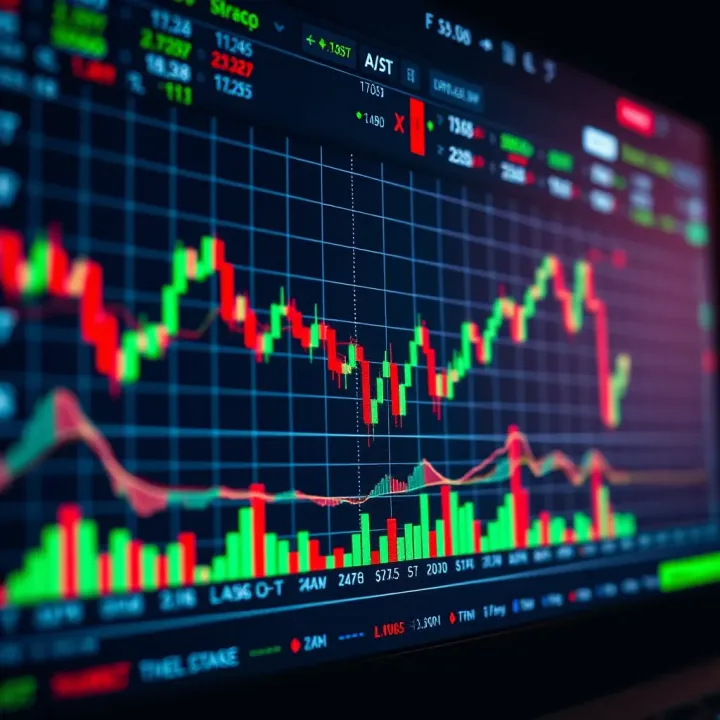
📊 Learn how to master TradingView charts for smarter market analysis. Tailored tips for Kenyan traders covering features, custom tools, and key indicators for success.
Based on 15 reviews