
Using M-Pesa with Forex Brokers in Kenya
Learn how to use M-Pesa for smooth forex trading in Kenya 🇰🇪. Discover practical steps, security tips, and how to pick brokers accepting M-Pesa for hassle-free deposits and withdrawals 💸.
Edited By
Oliver Smith
With the rise of cryptocurrency trading in Kenya, many users look for efficient ways to cash out their digital funds into M-Pesa, the most popular mobile money service here. Binance, being one of the largest crypto exchanges globally, attracts many Kenyan traders. However, withdrawing money directly from Binance to M-Pesa isn’t straightforward since Binance itself doesn’t support direct M-Pesa transfers.
To bridge this gap, users usually convert their crypto assets into fiat currency or stablecoins on Binance, then use third-party platforms or local exchanges to move that money into their M-Pesa accounts. This process requires careful handling to avoid delays, extra fees, or security risks.
Kenyan traders should ensure all transfers comply with local regulations and verify their accounts to enjoy smoother transactions.
This article unpacks the practical steps and tips to help you transfer funds from Binance to M-Pesa safely. You’ll find guidance on choosing the right withdrawal method, understanding fees, and avoiding common pitfalls frequently faced by users in Kenya. Whether you are a seasoned investor or a trader just starting, these insights will help you handle your withdrawals confidently and cost-effectively.
Next, we will cover necessary preparations before initiating a withdrawal, followed by detailed steps for the transfer process and alternatives that might suit your needs better. Understanding these clearly can save you money and time while increasing your transaction’s security and compliance.
Keep reading to make your Binance to M-Pesa withdrawal hassle-free with reliable information tailored to the Kenyan market.
Setting up your Binance and M-Pesa accounts correctly is the foundation for a smooth withdrawal process. Each platform has specific requirements and features that protect your funds and ensure transactions go through without hitches. Taking time to prepare both accounts beforehand can save you from unnecessary delays or even potential loss of money during transfer.
Binance requires all users to complete KYC verification before accessing withdrawal services. This process involves submitting identity proof such as your national ID or passport and, at times, proof of address. Without this, you won't be able to withdraw any funds to your local accounts. For example, a trader who doesn’t finish KYC may find their withdrawal capped at very low limits or blocked entirely.
Completing KYC also aligns Binance with Kenyan regulatory standards, which is vital for compliance and safety. It builds trust between you and the platform and helps deter fraud, essential when dealing with digital currencies.
2FA adds an extra layer of security to your Binance account, requiring you to provide a second form of verification, usually via the Google Authenticator app or SMS code, before making withdrawals. Activating 2FA greatly reduces the risk of unauthorised access.
For instance, even if someone steals your password, they won’t move money out without that second confirmation step. Given the rise in cyber threats, enabling 2FA is not just advisable but necessary to keep your crypto funds safe.
Binance sets withdrawal limits that vary depending on your verification level. After completing KYC, most users gain higher daily withdrawal ceilings compared to basic or unverified accounts. It's wise to check these limits early.
Also, keep in mind that Binance may block or restrict withdrawals if it detects suspicious activity or if you recently changed sensitive account details. Understanding these rules helps in planning your withdrawal amounts and timing, especially if you intend to move large sums.
Your M-Pesa account must be active and linked to a valid Safaricom SIM card to receive money. An inactive SIM or unregistered M-Pesa service will cause your fund transfer to fail.
For example, if someone has changed SIM cards recently or hasn’t completed the M-Pesa registration process, they’ll need to visit a Safaricom shop or use the USSD menu to activate these services before incoming transactions.
Always verify the phone number tied to your M-Pesa account matches the one you will provide during withdrawal. A mismatch can lead to funds going to the wrong recipient, with limited recourse.
Double-checking this detail, either through your Safaricom app or via the *234# menu, prevents costly mistakes. Remember, you can't receive Binance withdrawals on numbers not registered for M-Pesa.
M-Pesa has defined limits on daily transaction amounts, introduced to enhance security and regulate money flow. These limits fluctuate based on your M-Pesa user category and registration specifics.
For instance, registered users typically can receive and send up to KSh 150,000 daily, but new or unregistered users might have far lower ceilings. Assessing your limits in advance avoids failed transfers or partial payments that can cause confusion or delays.
Properly setting up your Binance and M-Pesa accounts with secure verifications and accurate details greatly reduces risks and streamlines your withdrawal process. Always take a moment to review these essentials before moving funds.

Withdrawing funds from Binance to M-Pesa involves a clear, practical sequence of actions. This section breaks down each step, making it easier for Kenyan traders and investors to move their cryptocurrency gains quickly and securely into local currency. Understanding this flow helps avoid common hiccups like delays, extra fees, or failed transfers.
Binance supports trading pairs that directly convert cryptocurrencies into Kenyan Shillings, such as BTC/KES or USDT/KES. Choosing the correct pair is crucial because it allows you to exchange your coins straight to KES, avoiding the need for intermediate conversions that might incur higher costs or take longer. For example, if you hold Bitcoin (BTC), finding a BTC/KES pair lets you convert your Bitcoin directly into shillings at current market rates.
Some users may prefer fiat on-ramp services Binance offers, like debit or credit card purchases or P2P trading with Kenyan shillings. These options facilitate bringing real money into the platform and also work for cashing out. When withdrawing, you can use fiat gateways Binance provides to convert your crypto to fiat directly and then transfer it out. This makes the entire process smoother and often faster, with instant or near-instant conversion to KES.
A market order executes your sell trade instantly at the current market price, good for swift liquidation of crypto into KES. On the other hand, a limit order lets you set a specific price at which you want to sell. This can be helpful if you expect the price to improve but may delay your withdrawal if the price doesn't hit your target. Kenyan users should weigh urgency against potential gains when choosing order types.
Before withdrawing Shillings from Binance, link your Kenyan bank account to your Binance profile. Most major banks like KCB, Equity, or Cooperative Bank are supported. This linkage requires providing your bank details accurately to avoid failed transfers. Many people sync this during registration, ensuring withdrawals go directly to their accounts without fuss.
Once you have KES in your Binance wallet, use the withdrawal option to send money to your linked bank account. Choose the bank, enter the amount, and confirm the transaction. Binance typically asks you to verify the request, often by email or 2FA, adding security. This step is critical for converting your digital asset gains into usable local currency.
Transfers from Binance to Kenyan banks generally take between 1 to 3 business days. However, some banks might process funds faster, especially if using real-time payment systems. Keep an eye on your bank app notifications or SMS to confirm deposit clearance. Binance also provides a transaction ID you can use to track the progress.
After the money lands in your bank account, you can quickly transfer it to M-Pesa using your bank’s mobile app or dial the USSD code (*334# for KCB, *522 for Equity). These channels enable seamless bank-to-M-Pesa transfers at any time, ideal for those who want immediate access to mobile money.
Besides apps and USSD, bank agent outlets can also send funds to M-Pesa on your behalf. This helps those without smartphones or internet access. For example, a trusted fundi or local agent can handle the transfer for a small fee, ensuring you get your money in M-Pesa when needed.
Always confirm the money arrived in your M-Pesa wallet by checking your Safaricom app or dialing *234#. Reconcile your bank and M-Pesa statements if possible to avoid disputes. Prompt verification helps you react quickly to any issues or delays in the transfer.
Successful withdrawal relies on following each step carefully: from converting crypto to shillings, withdrawing to your bank, and finally moving cash to M-Pesa. Each stage involves checks and verification to avoid surprise delays or lost funds.
While the usual route of withdrawing from Binance to a Kenyan bank account and then moving the funds to M-Pesa is common, there are alternative methods worth considering. These options sometimes offer faster transfers, lower fees, or bypass bank-related delays. Understanding these alternatives can save time and costs, especially for active traders or those dealing with smaller amounts.
Binance’s Peer-to-Peer (P2P) platform allows users in Kenya to sell cryptocurrency directly to local buyers. Instead of converting crypto to fiat within Binance's system and then withdrawing, you can trade your coins for Kenyan shillings directly from another user who pays into your M-Pesa account. This method removes intermediaries, often speeding up the process.
Selecting trusted local buyers is crucial. Binance’s P2P platform includes a ratings system based on past trades and prompt payments, helping you identify reliable traders. It's smart to choose sellers with multiple completed trades and positive feedback to reduce the risk of scams or delayed payments.
Safety should always come first in P2P trades. Avoid sharing unnecessary personal information, rely only on Binance’s escrow service to hold crypto before payment confirmation, and verify payments on M-Pesa before releasing your coins. If anything looks off, pause the trade and report it to Binance.
Several third-party platforms and local crypto exchanges integrate M-Pesa directly for withdrawals. Services like Paxful or BitPesa facilitate crypto-to-M-Pesa withdrawals without needing to pass through your bank account. These platforms act as gateways, handling the currency exchange and sending money straight to your M-Pesa wallet.
The withdrawal process through these third-party apps is relatively simple. You register on the platform, list your crypto for sale or exchange, and select M-Pesa as your withdrawal method. Funds are usually delivered almost instantly after confirmation, saving you the effort of multiple transfers.
However, fees and exchange rates vary between platforms. Always compare their charge percentages and rates before choosing one. Some may offer better rates but charge higher fees, while others keep fees low but offer less favourable currency conversions. Checking reviews from Kenyan users can also offer insight into which platforms deliver reliable and cost-effective service.
Choosing the best withdrawal method depends on your priorities—speed, cost, or security. Alternative routes like P2P and third-party services give you options beyond traditional bank transfers, fitting different needs and budgets.
Knowing the fees and withdrawal limits involved when moving money from Binance to M-Pesa is vital. It helps you plan the transaction to avoid unexpected charges and delays. Since both platforms have their own fee structures and limits, being aware of these details safeguards your funds and maximises the amount you finally receive.
For instance, if you miss out on understanding Binance’s withdrawal fees or the daily M-Pesa transaction limits, you could end up paying more than necessary, or your transaction might get delayed or blocked. This section breaks down the key charges and restrictions, providing practical insights for smoother transactions.
When withdrawing fiat currency such as Kenyan shillings from Binance, the platform levies a standard fee. Usually, Binance charges a small fixed fee or a percentage of the withdrawal amount, depending on the method you choose. For example, withdrawing via bank transfer might incur a fixed fee of about KSh 200, but this can vary slightly with market conditions and withdrawal volumes.
Understanding these fees helps you decide whether to withdraw in small amounts frequently or in larger sums less often. Frequent small withdrawals may cost more in cumulative fees, so plan according to your needs.
Occasionally, Binance runs promotions that reduce or waive these withdrawal fees, especially for users who hold certain amounts of their native Binance Coin (BNB). If you have some BNB in your wallet, you can use it to pay for fees at a discounted rate, potentially cutting your charges by up to 25%. Keeping an eye on such offers can save you some shillings.
The withdrawal method you select directly affects the fees you pay. For example, withdrawing directly to a bank account usually attracts a fee, while cashing out through a Peer-to-Peer (P2P) trade might avoid exchange fees but require careful handling of transaction risks. Crypto-to-crypto withdrawals also carry their own fees related to blockchain transaction costs, but since your goal is to get funds into M-Pesa, opting for fiat withdrawals or P2P routes is typically more straightforward.
M-Pesa fees depend mostly on the amount transacted. Small transfers of up to KSh 1,000 carry minimal charges—sometimes just a few shillings—while larger amounts over KSh 70,000 attract higher fees, scaling up progressively. For instance, sending KSh 50,000 might cost you about KSh 110 in fees. Since Binance withdrawals often involve sums within this range, anticipating these costs helps manage overall expenses.
In addition to per-transaction fees, M-Pesa imposes daily and monthly transaction limits set by Safaricom and regulated by the Communications Authority of Kenya. Typically, the daily sending limit hovers around KSh 150,000, with monthly limits near KSh 300,000. These ceilings mean that if your Binance withdrawal and bank transfers exceed these amounts, you might have to split transactions over several days.
Banks can also charge for sending money from your account to M-Pesa, depending on your bank’s policies. While many Kenyan banks have waived fees for KCB M-Pesa or Co-op Bank M-Pesa transfers, some may apply a small charge or require minimum balances before processing. Check with your bank to understand these possible deductions. For example, if you transfer via bank mobile apps or USSD codes, confirm if the bank includes any service fees or if your account type qualifies for free transfers.
Being aware of these fees and limits at each step ensures you keep most of your funds and avoid any unpleasant surprises. It also helps you schedule transactions better, especially when transferring large amounts.
Understanding and planning around these fees and limits will make your Binance to M-Pesa withdrawal quicker, safer, and more cost-effective.
When moving your funds from Binance to M-Pesa, following best practices ensures your money arrives safely and without unnecessary delays. In Kenya's dynamic financial scene, taking simple precautions can prevent common pitfalls and protect you from scams. These practices also help you stay within legal and platform limits, giving you peace of mind while handling your hard-earned KSh.
Double-checking recipient details is crucial since even a minor error like mistyping your phone number can send your money to someone else. Always confirm the M-Pesa number linked to your account before confirming the withdrawal. For example, if your M-Pesa number ends with 7890, accidentally entering 7980 means losing funds with little chance of recovery. Taking an extra moment to verify saves stress and potential loss.
Confirming transaction limits beforehand helps avoid failed transfers or holds by financial institutions. Both Binance and M-Pesa have daily and monthly transaction caps. For instance, M-Pesa's daily limit for sending money may be around KSh 150,000, while Binance withdrawal limits depend on your verification level. If you plan to transfer large amounts, breaking them into smaller chunks within these limits keeps transactions smooth.
Understanding exchange rate fluctuations is key when converting cryptocurrencies to Kenyan Shillings. Crypto prices can shift abruptly, affecting the amount you finally receive on M-Pesa. For example, withdrawing USDT today might yield slightly less KSh tomorrow if market rates change. Watching exchange trends or choosing to withdraw during stable periods can help you avoid losing money to unfavourable rates.
Updating passwords regularly is a simple yet effective security measure. Use a strong, unique password for your Binance and M-Pesa accounts, changing them every few months. Avoid reusing passwords across platforms or using easily guessable details like birthdays. This practice stops hackers who might access one account from taking control of all your financial services.
Monitoring transaction history allows you to spot suspicious activities early. Regularly review your Binance withdrawal logs and M-Pesa statements to confirm all transactions are familiar and authorised by you. If you notice an unknown transaction, promptly alert your bank, Binance support, or Safaricom to freeze accounts and investigate.
Recognising and avoiding phishing attempts protects your sensitive information. Scammers often send fake messages asking for passwords or one-time pins (OTPs), pretending to be from Binance or Safaricom. Never share your OTPs or personal details. Always access Binance and M-Pesa through official apps or websites, and double-check sender information before clicking links.
Taking time to apply these best practices means fewer headaches and safer transfers when moving money from Binance to M-Pesa. Your funds deserve care every step of the way.
Learn how to use M-Pesa for smooth forex trading in Kenya 🇰🇪. Discover practical steps, security tips, and how to pick brokers accepting M-Pesa for hassle-free deposits and withdrawals 💸.
🔐 Learn how to safely log in and manage your Binance account in Kenya. Get tips on troubleshooting and security for a hassle-free crypto experience! 🇰🇪
Learn how to safely transfer Perfect Money funds to M-Pesa in Kenya 🇰🇪. Step-by-step guide, top exchange rates, fees, & tips for smooth international wallet transfers 💸📲
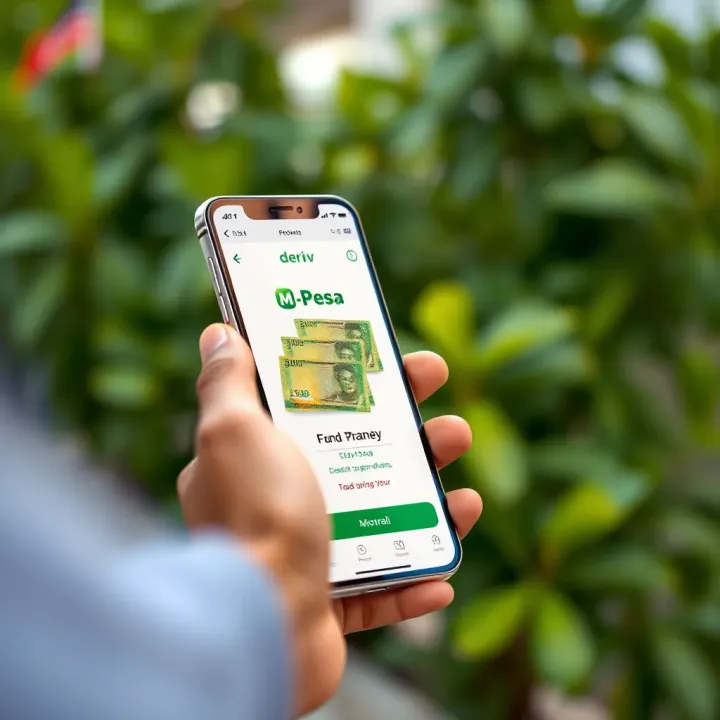
📲 Learn how to easily deposit money to your Deriv trading account using M-Pesa in Kenya. Step-by-step guide, safety tips, common challenges, and payment options included. Trade confidently with local insights! 💹
Based on 6 reviews